@Tech@ZWO
Well to say the least this is the first time I am using a Camera rotator, and it is confusing as hell.
I'd like to know how does ASIAIR determine zero mechanical position?
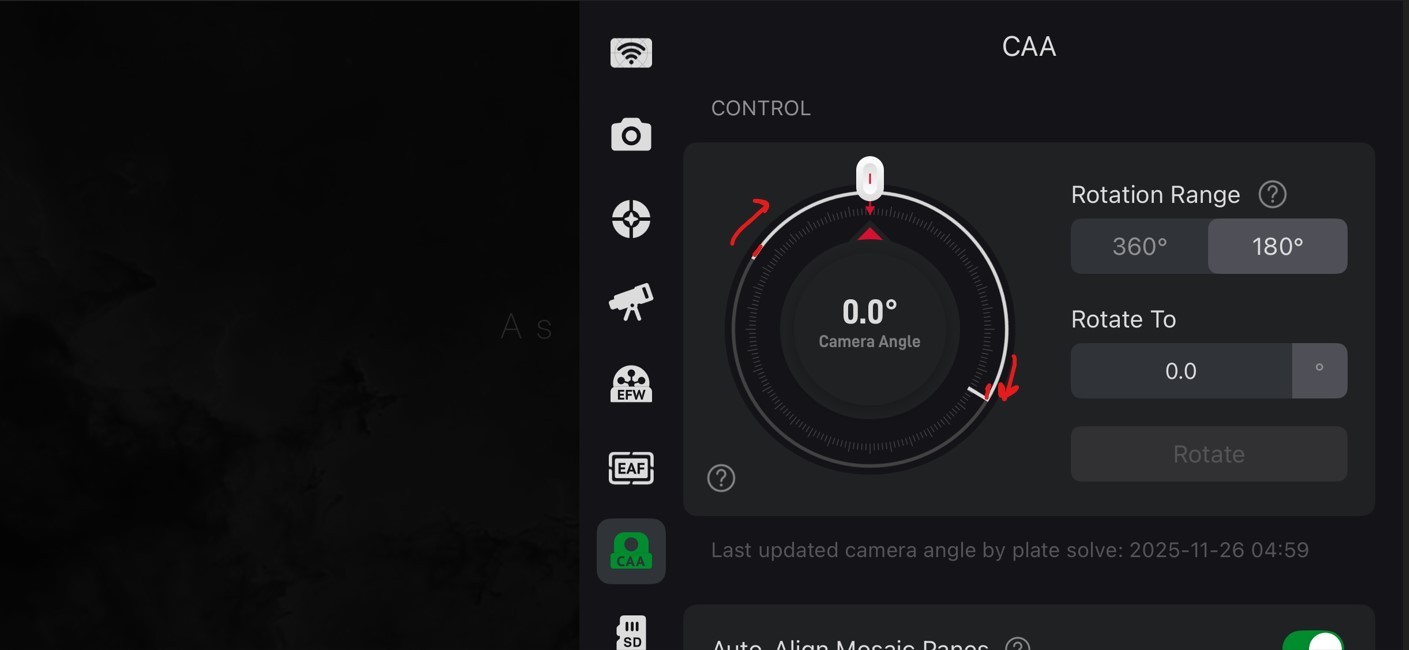
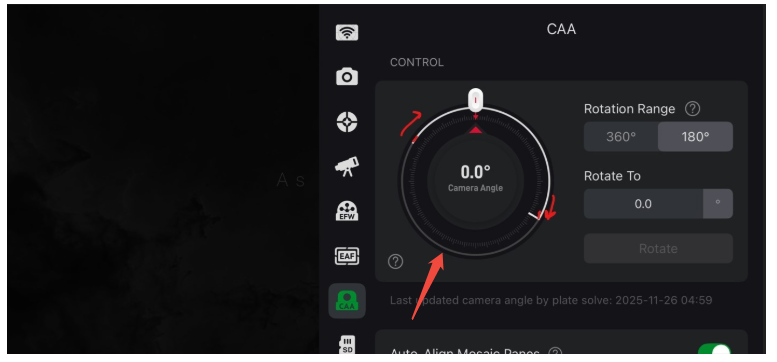
When I first installed CAA using 180deg limit option, the rotation limit seemed sensible i.e. Limit indicator was at 6 o'clock position. But then I removed the CAA, Camera to adjust back focus and after I fitted the devices the limit indicator on the dial moved and the resultant is shown in the image below.
How to I influence this limit indicator (see the arrows in image below), something I've done has affected it, and I should be able to influence it again, is it possible to manually rotate the device when removing adaptors or while fitting it back along with EFW, camera etc.
I still don't understand the 180deg limit when it can easily go beyond it if requested (I can explain this with screenshot I've taken), but I guess it is there for preventing rotation after meridian flip or some other reason.
Its a shame that none of the youtubers have done a video of how this thing actually works in ASIAIR...same spiel by all of them no deep dive.