Dear Valued Users,
The ASIAIR App Android 2.5.2 stable version is now available for download on the ZWO official website.
Due to the limitations of the iOS system, rollback to previous versions is currently supported only on Android devices. If you need to roll back the ASIAIR App to version 2.5.2, please follow the steps below.
Rollback Steps
In the latest version of the ASIAIR App, restore the firmware to factory settings.
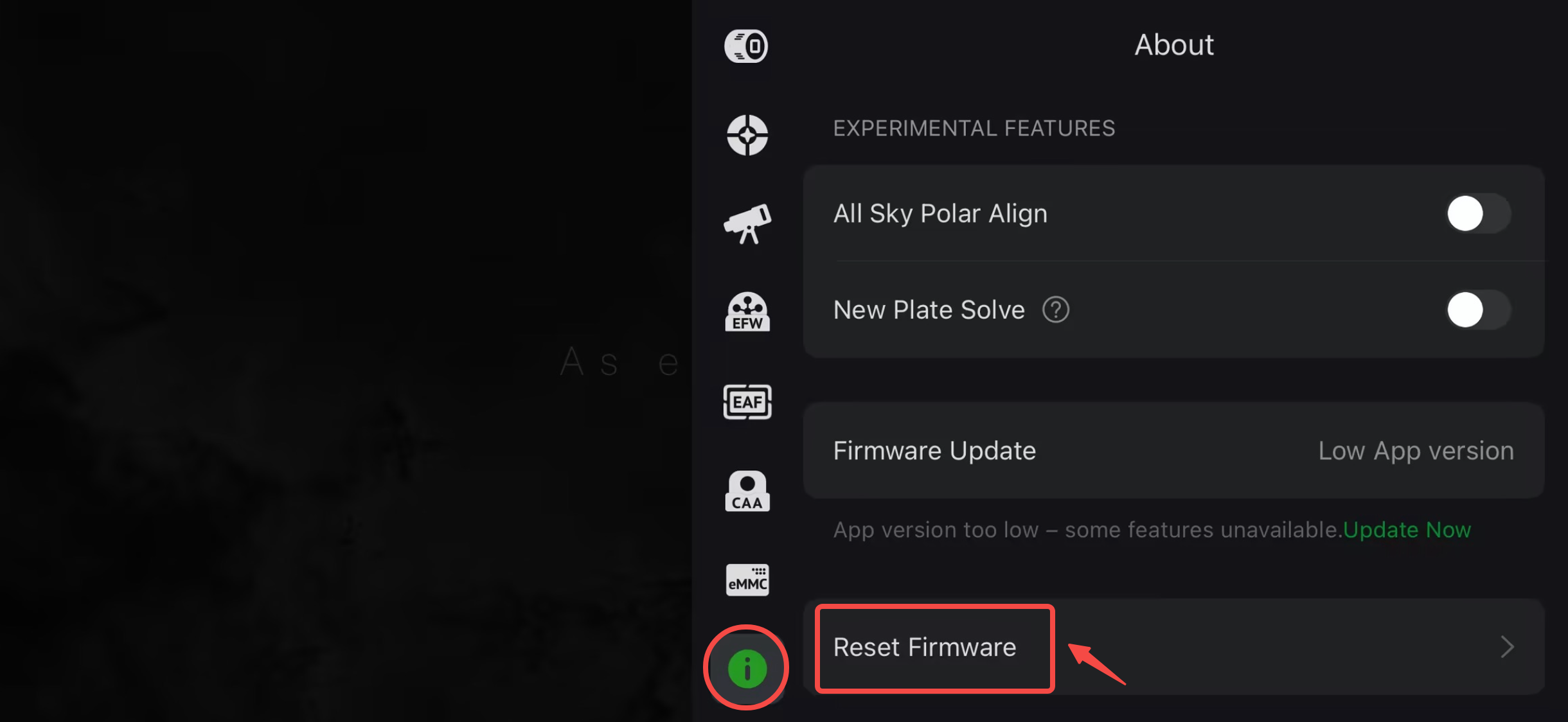
Uninstall the current version of the ASIAIR App.
Visit the ZWO official website to download and install ASIAIR App version 2.5.2.
Note: Rolling back to an earlier version will delete cached data stored in the app. To minimize potential data loss, we recommend staying logged in before uninstalling the app. After installing ASIAIR App 2.5.2, please log in to your account again as soon as possible.
App Download Link: https://www.zwoastro.com/software/asiair/
Need Help? Contact Us
If you encounter any software or hardware issues while using ASIAIR, we recommend contacting our official technical support team first. Our support team will provide targeted assistance based on the specific issue you are experiencing.
Technical Support: https://support.zwoastro.com/cn
At the same time, our product team will continue to monitor user feedback on this forum. Your feedback and suggestions are valuable input for future updates and improvements to the ASIAIR App.
To help us identify and resolve issues more quickly and accurately, please provide as much of the following information as possible when reporting a problem:
- The model of the device you are using;
- The specific scenario in which the issue occurs and the steps to reproduce it;
- A detailed description of the problem;
- After submitting a Bug Report through the ASIAIR App, please provide the corresponding Bug ID.
Providing complete and accurate information will help us analyze the issue more efficiently and identify the root cause of the problem.
Thank you for your valuable feedback and suggestions, and thank you for your continued support of ZWO!

